"Did anyone answer this?"
Shared mailboxes mean two people reply — or nobody does.
With Perfex InboxEvery conversation has one owner, a status and a due time. You see when a colleague is already writing, and rules share new conversations in turn.
For Perfex CRM 3.4 · New in 2.0: calls, leads, cadences, campaigns, CSAT
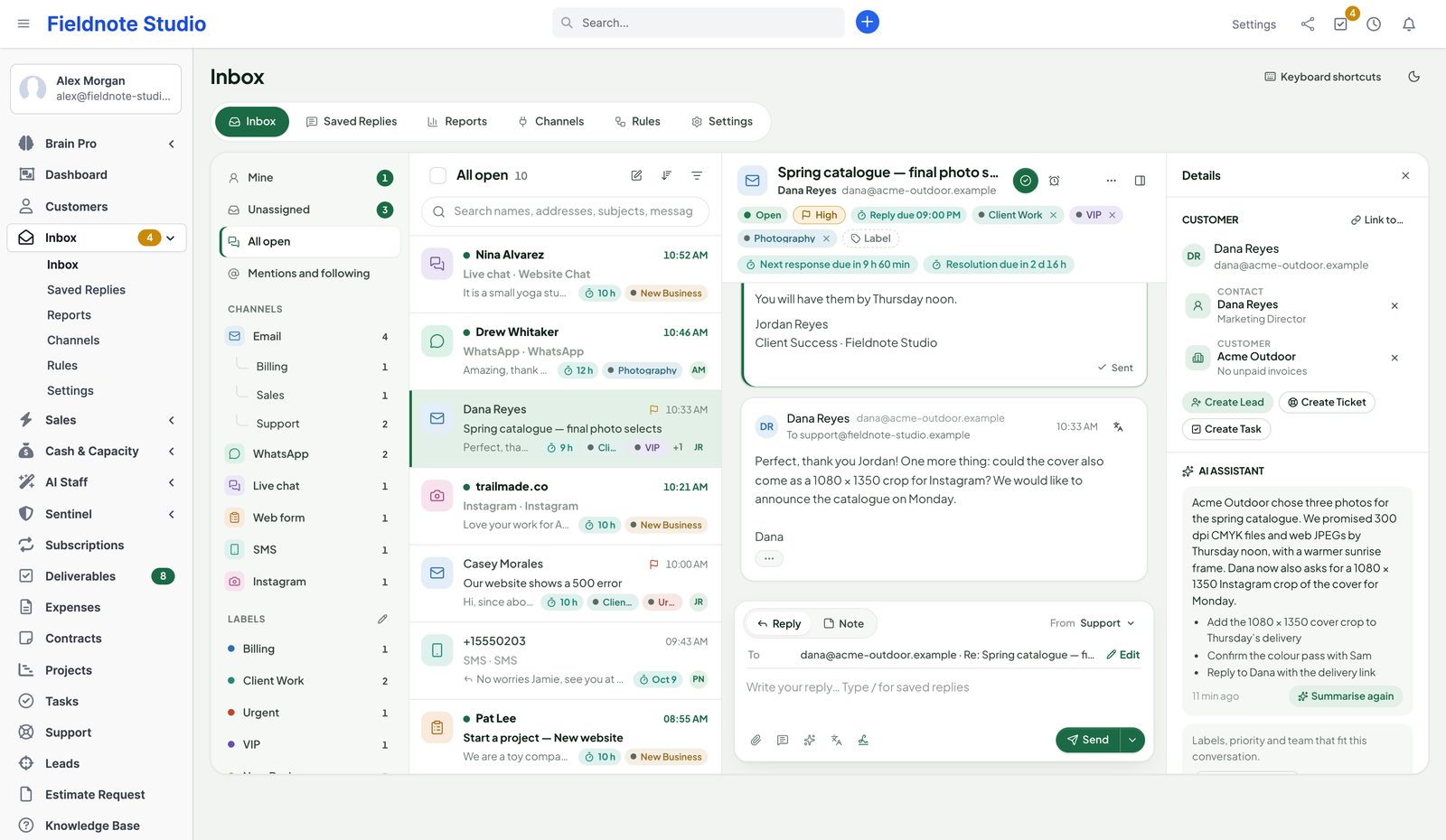
Bring your support and sales mailboxes, WhatsApp, the chat on your website, contact forms, SMS, Instagram — and now phone calls — into one team inbox inside Perfex. Assign, discuss in private notes, answer from saved replies and never let a customer wait past your SLA. Score and route leads, work a call list, follow up with cadences and campaigns, and ask customers how you did — every conversation linked to the contact, lead or customer it belongs to.
Why Perfex Inbox
The support mailbox is in one tab, WhatsApp on somebody's phone, the website chat in another tool, and the CRM knows nothing about any of it. Perfex Inbox puts every message in one place your whole team can see — next to the customer in Perfex.
Shared mailboxes mean two people reply — or nobody does.
With Perfex InboxEvery conversation has one owner, a status and a due time. You see when a colleague is already writing, and rules share new conversations in turn.
Messages arrive without context: no invoices, no projects, no history.
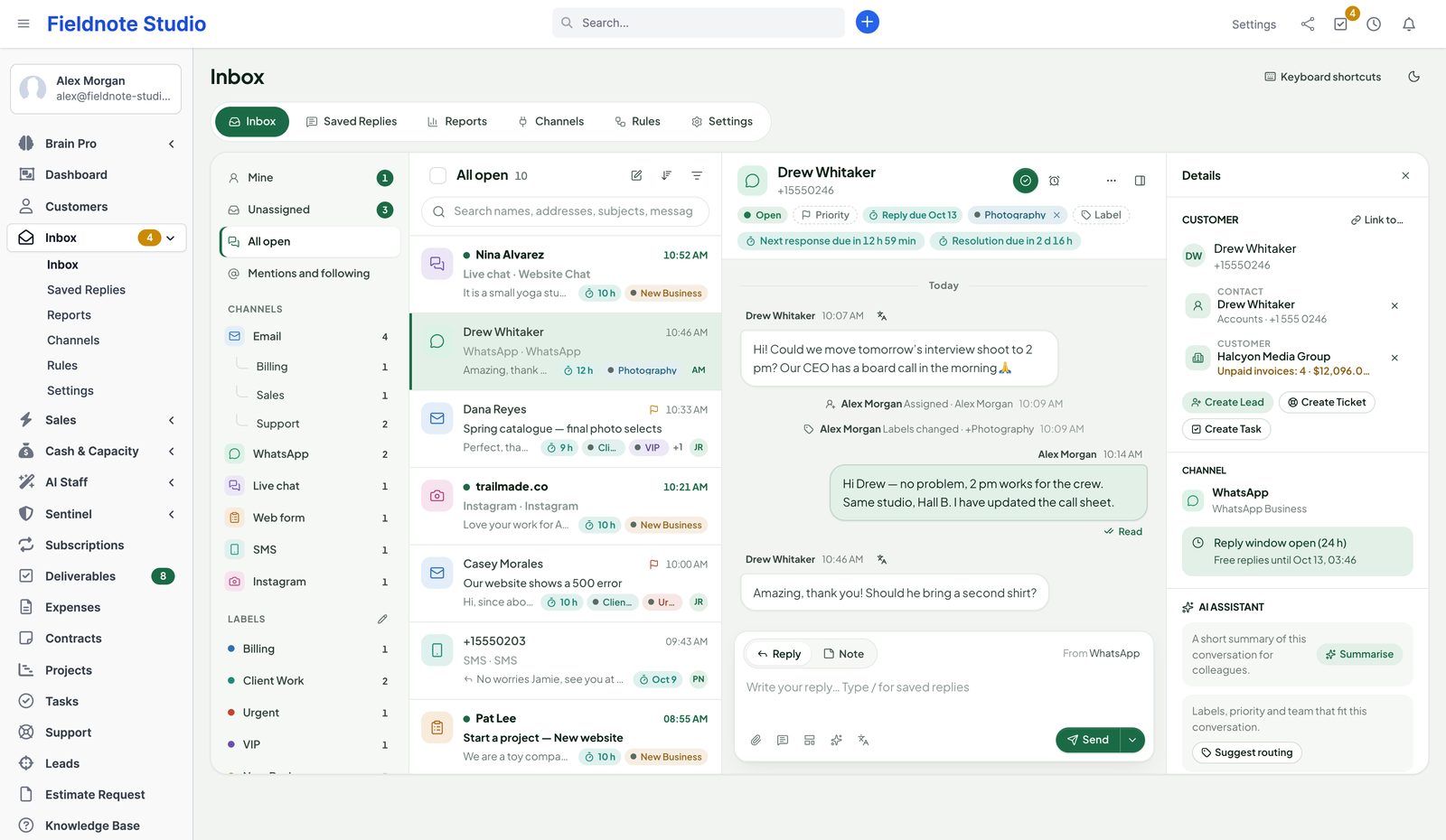
With Perfex InboxSenders are linked to contacts, customers and leads by email address and phone number. Unpaid invoices and earlier conversations are right beside the message.
Chats and form submissions never reach the CRM.
With Perfex InboxWhatsApp, chats, forms, SMS and Instagram arrive in the same inbox. Turn any conversation into a lead, a ticket or a task in one click.
Channels
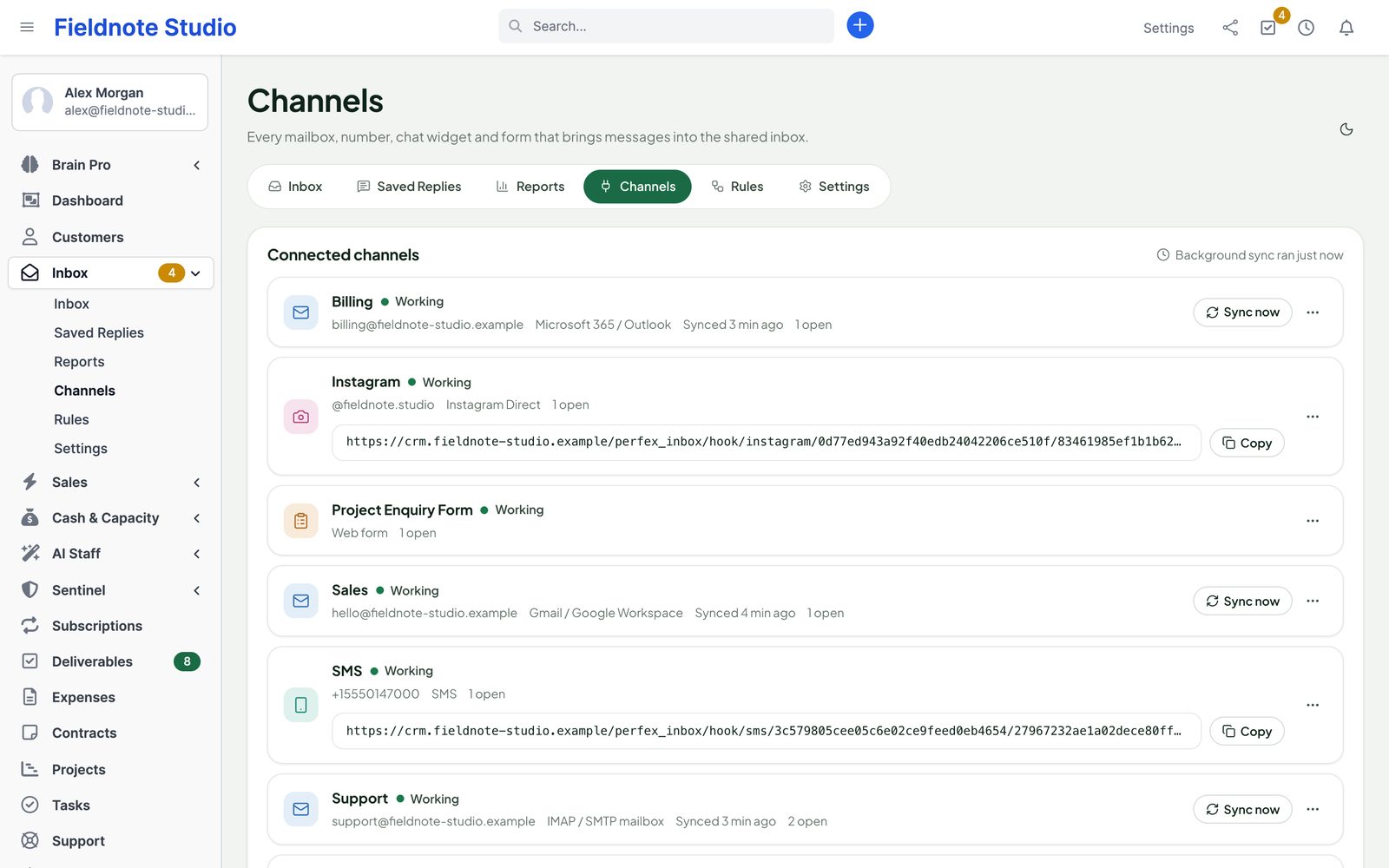
Each mailbox, number, widget, form and phone number is a channel. Connect as many as you need; every one has its own access rules, default assignee and signature.
Team inbox
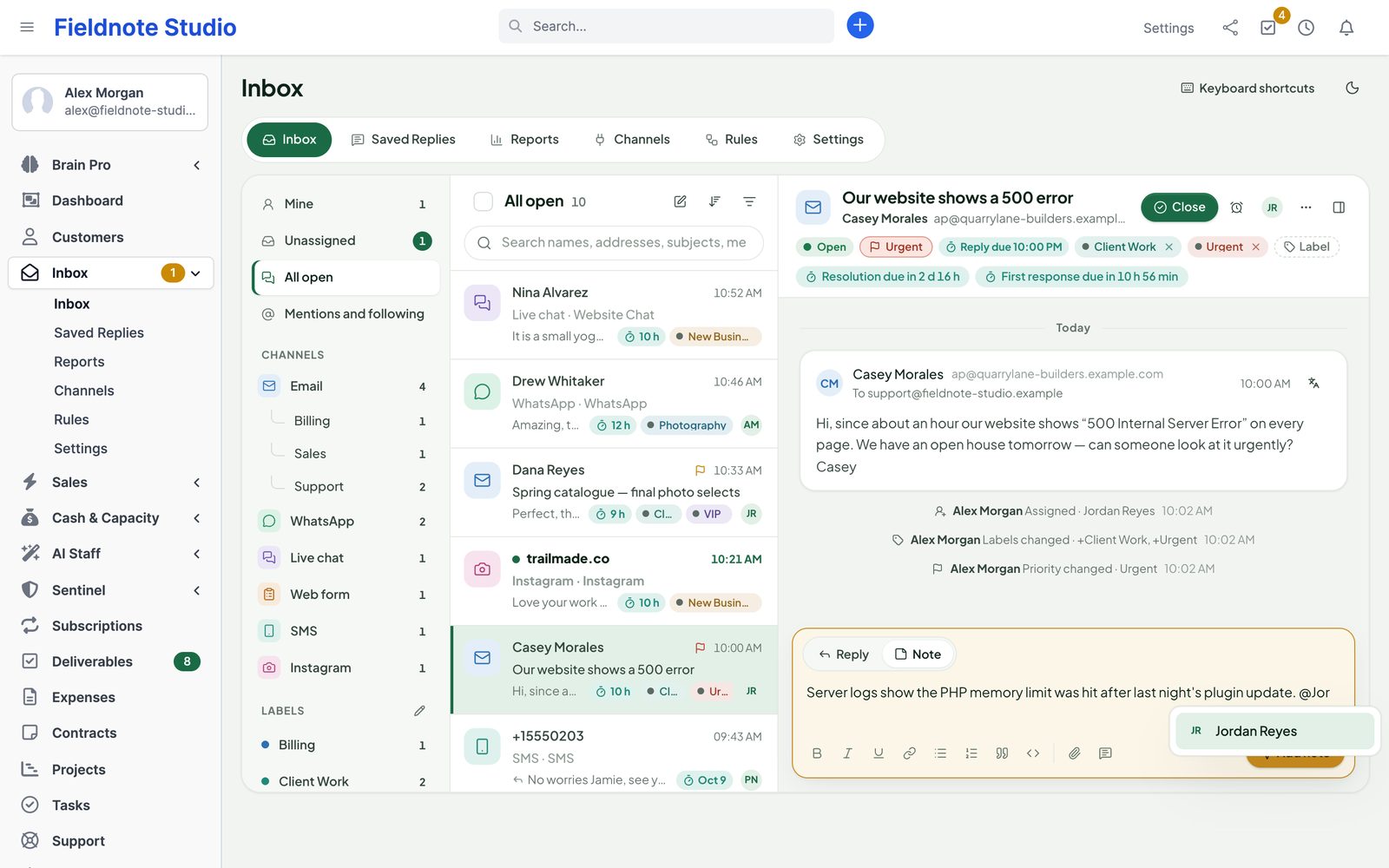
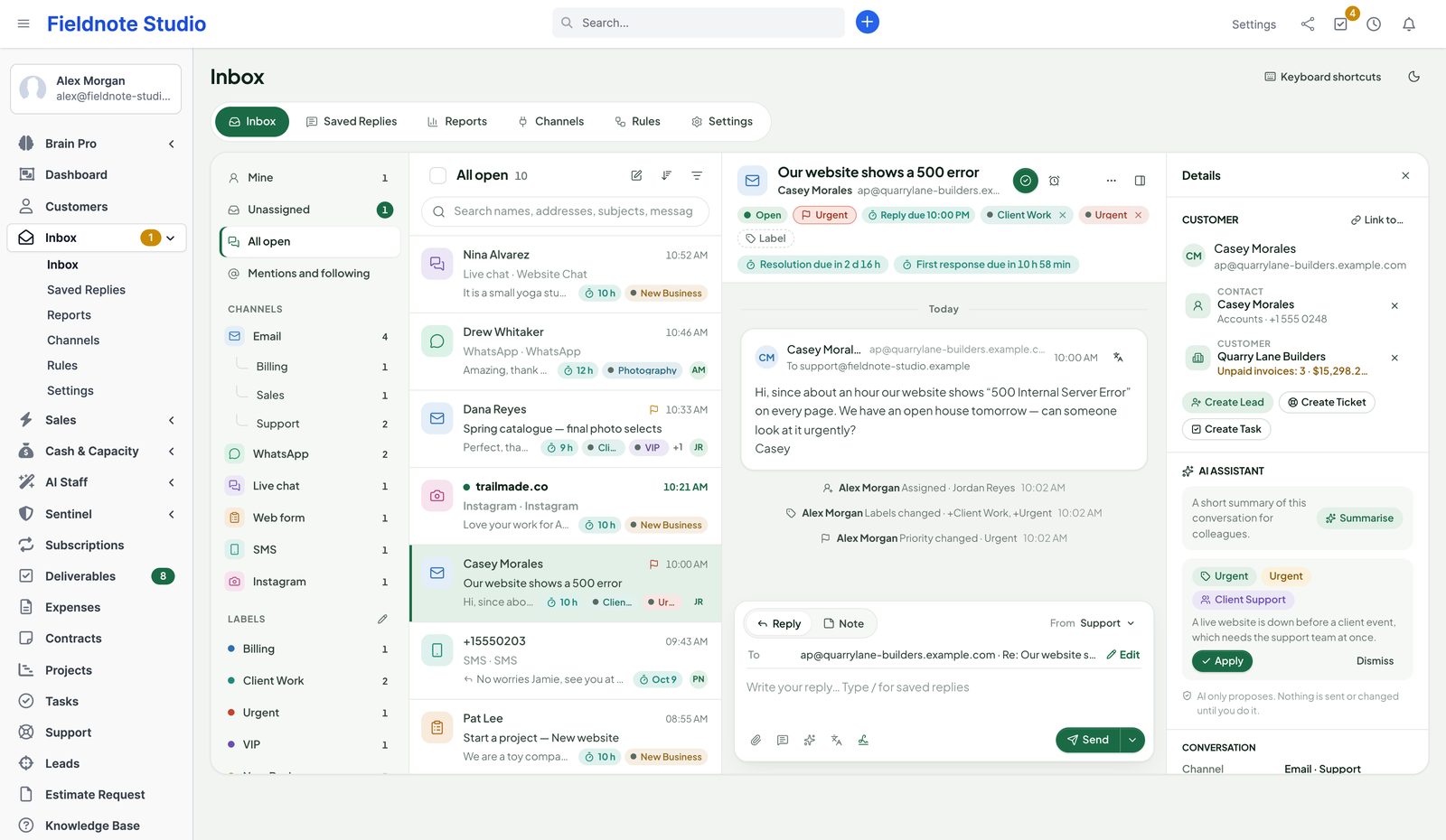
Views for Mine, Unassigned, All open, Mentions and following, snoozed, closed, spam and trash — plus every channel, mailbox and label, with unread counts. Filters, sorting by waiting time or priority, and search across names, addresses, subjects and messages.
Email & sign-in
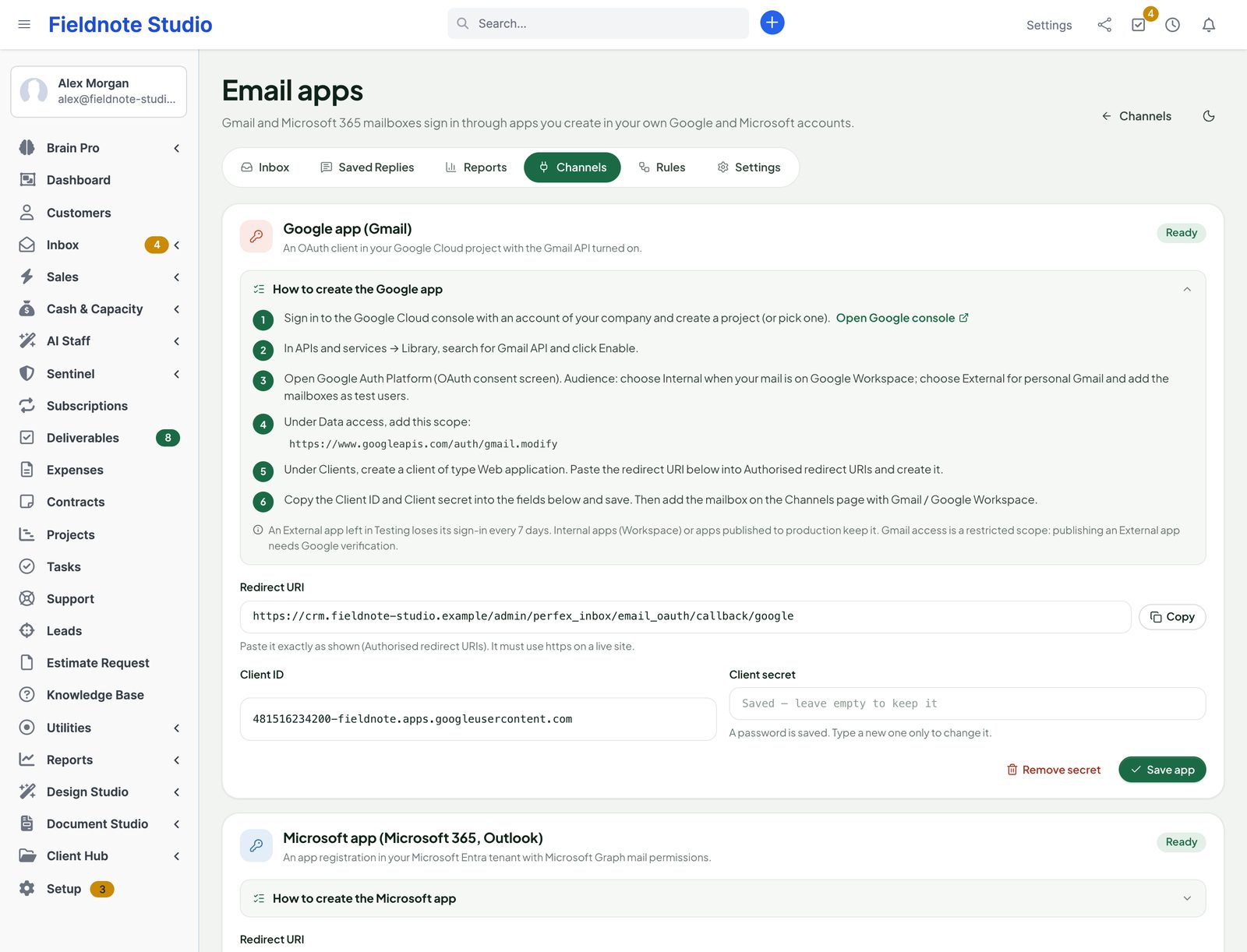
Connect any mailbox over IMAP and SMTP, or sign in with Google and Microsoft through apps you create in your own Google Cloud and Microsoft Entra accounts — a step-by-step guide and the redirect URI to copy are on the settings page. No central SellMyCode app: no other company ever sees your mail.
WhatsApp, chat, forms & SMS
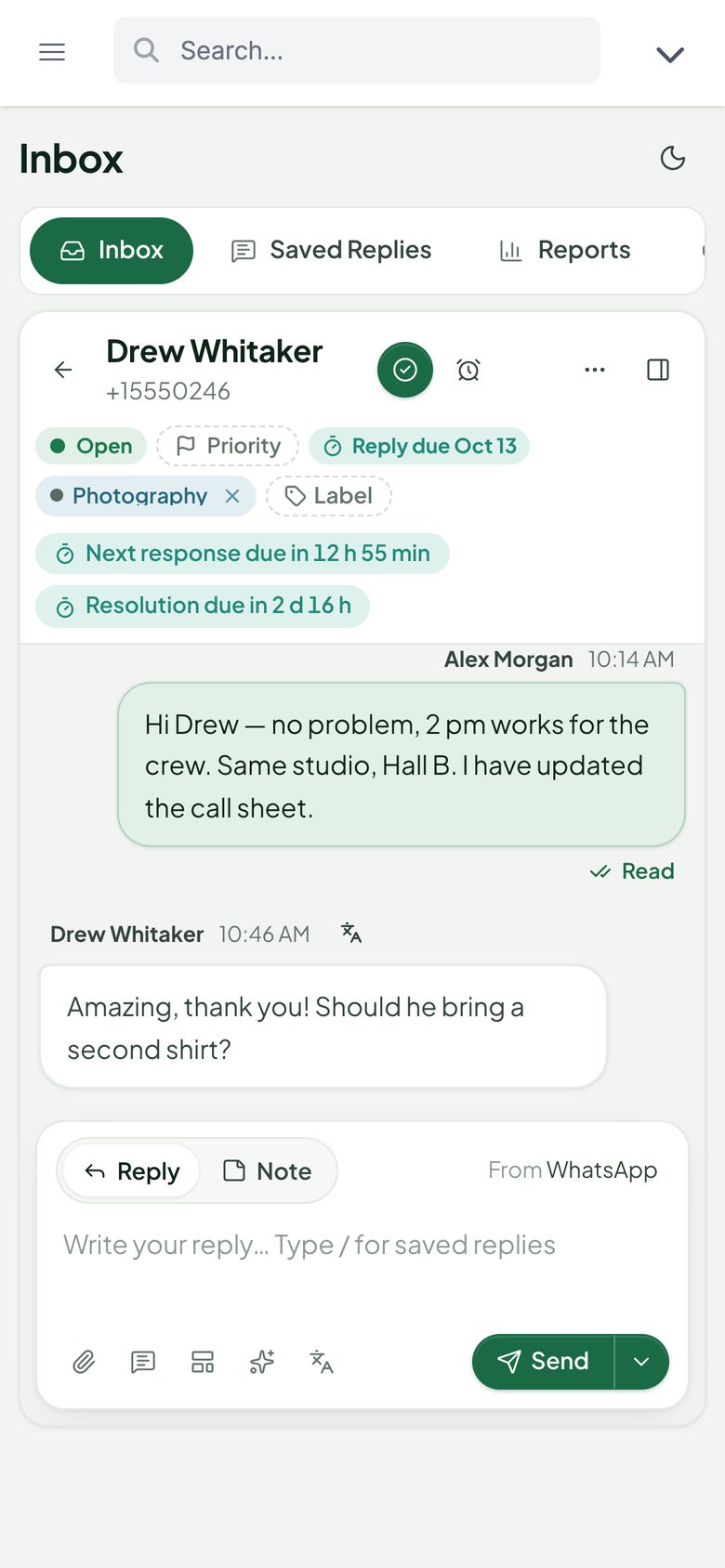
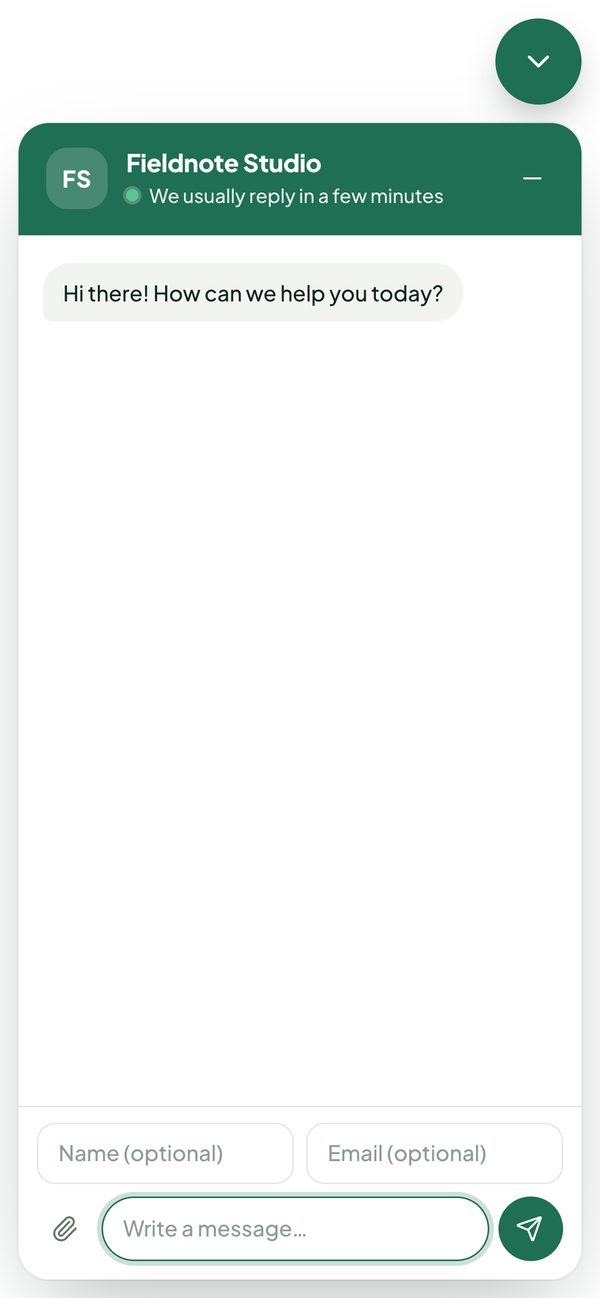
WhatsApp, live chats, form submissions, SMS and Instagram messages are conversations like any other: assign them, label them, answer them from saved replies. The composer knows each channel's rules — character limits, files, and WhatsApp's 24-hour reply window with approved templates after it.
Calls · new in 2.0
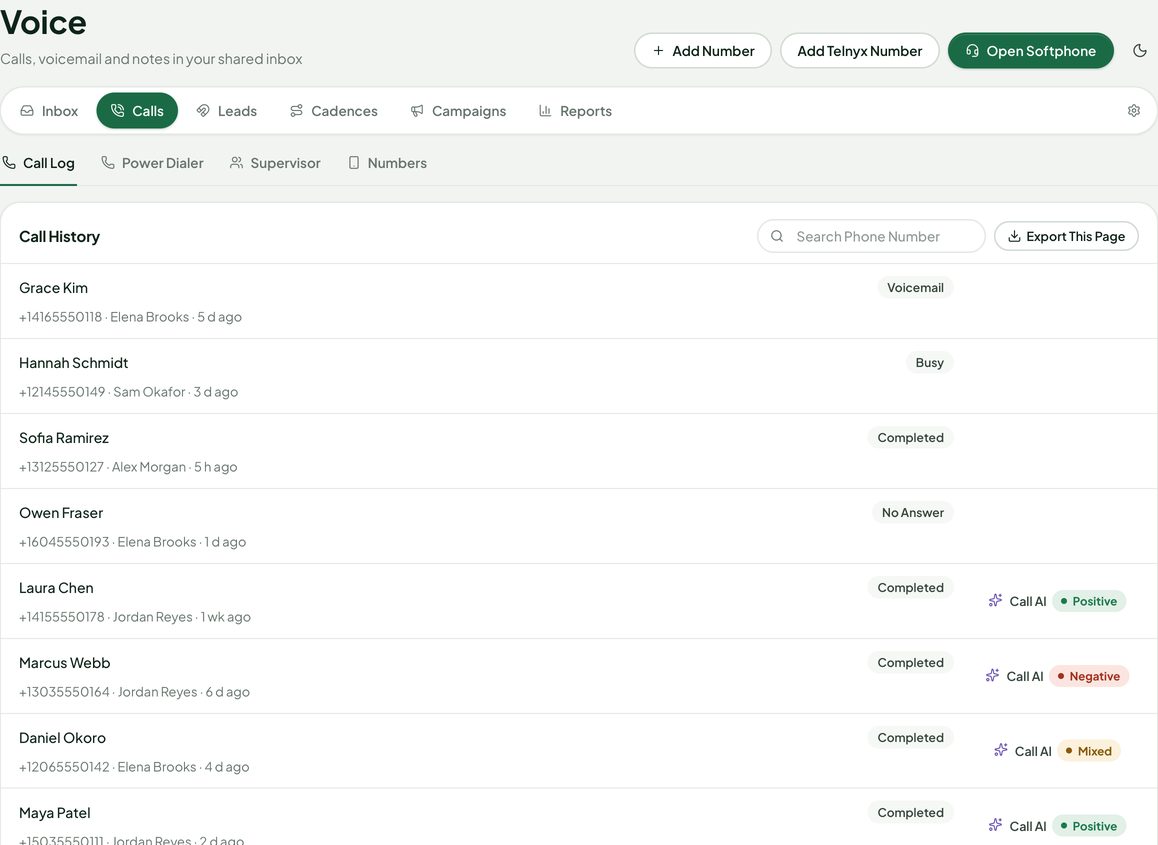
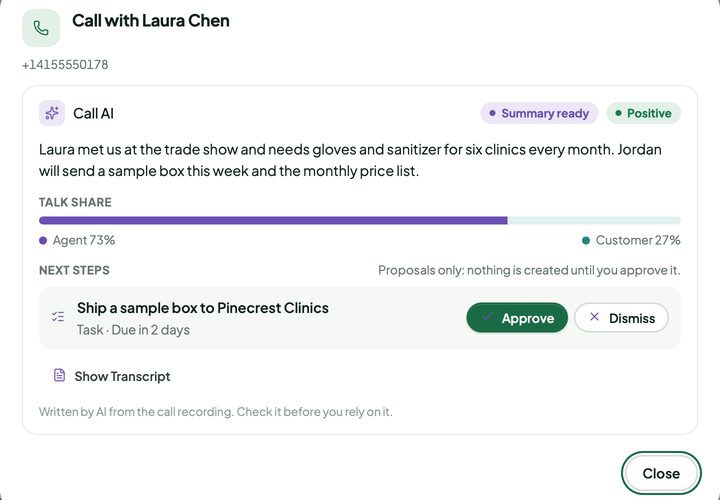
Call customers from the browser and take incoming calls inside Perfex, through your own Twilio or Telnyx account. Every call becomes a message in the conversation — with its duration, result, notes and recording — next to the emails and chats of the same customer.
Power Dialer · new in 2.0
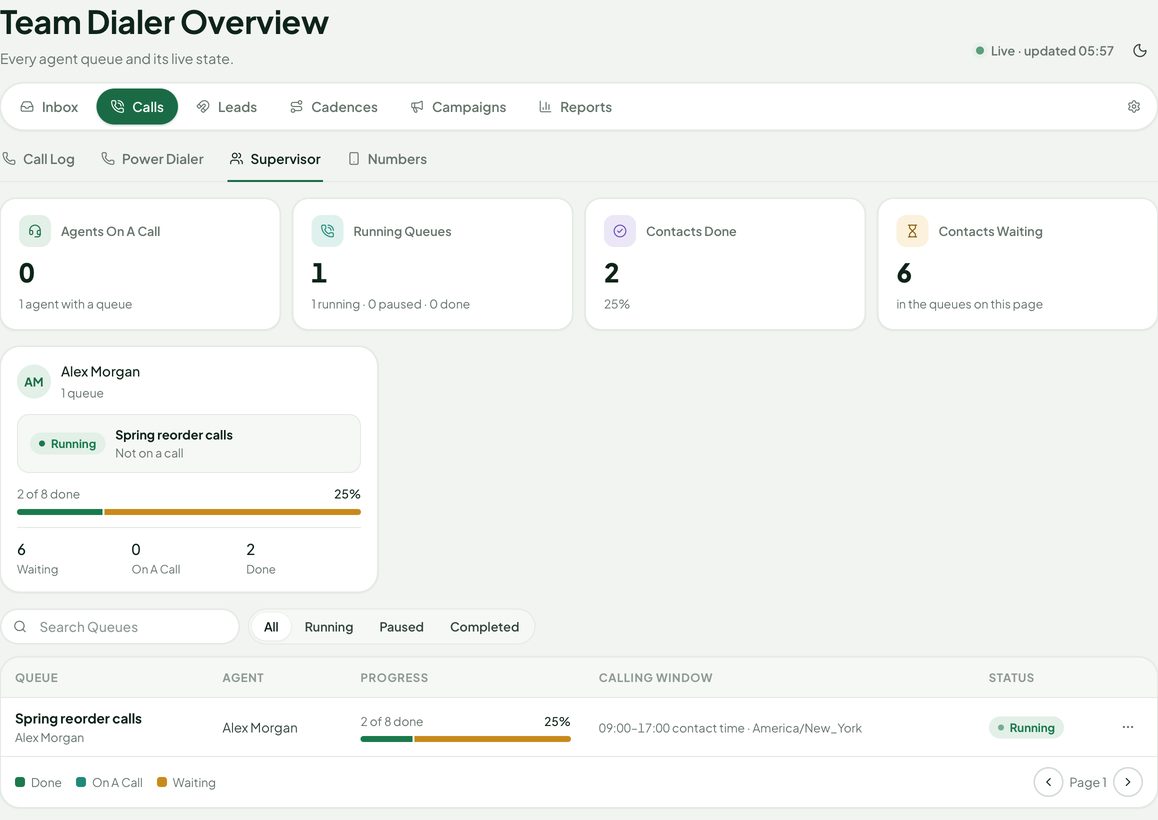
Build a call queue from an Inbox view, a lead or contact list or a saved selection. The agent sees the next contact, presses Call, picks a disposition, adds a note and moves on — one call at a time, always started by a person.
Leads · new in 2.0
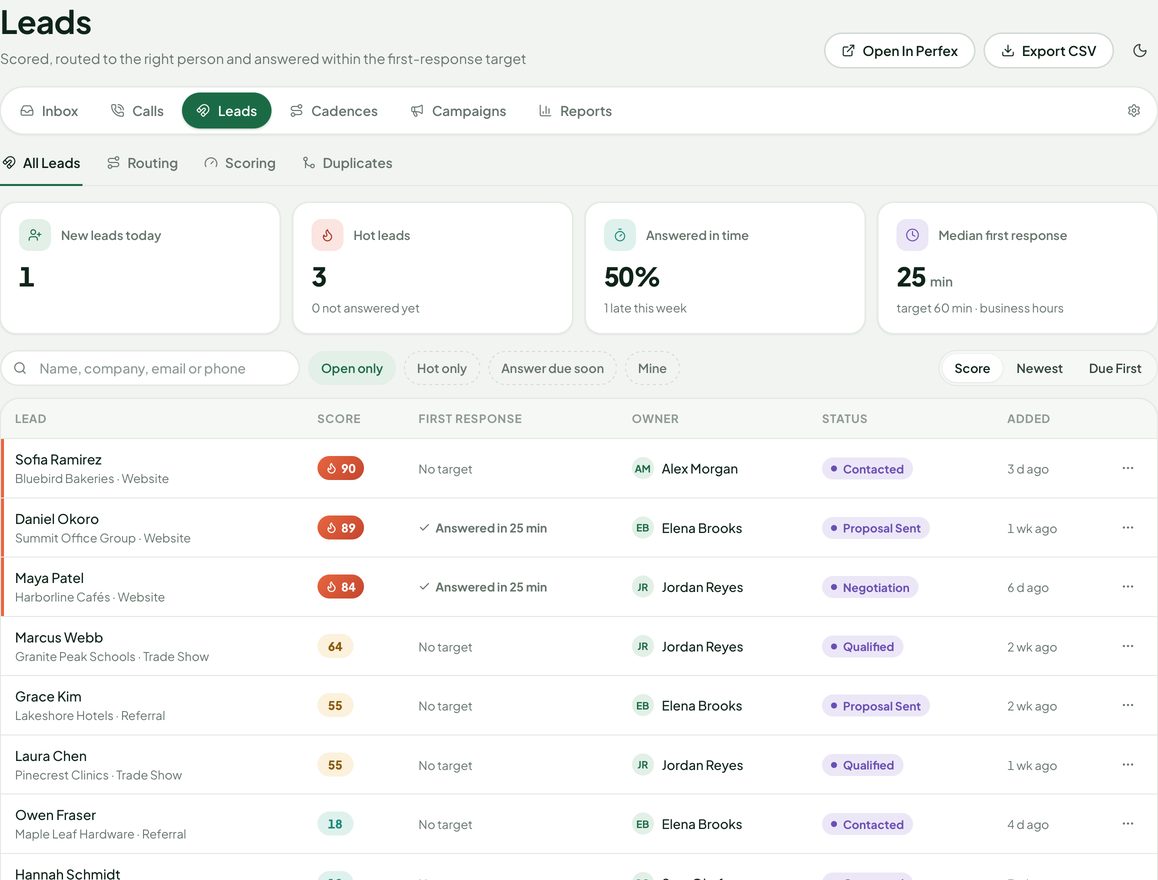
Every Perfex lead gets a score from your own rules — source, fields, activity, replies, calls — optionally mixed with an AI score from Perfex AI Staff. New leads go to the right person and a first-response target makes sure nobody waits.
Cadences & campaigns · new in 2.0
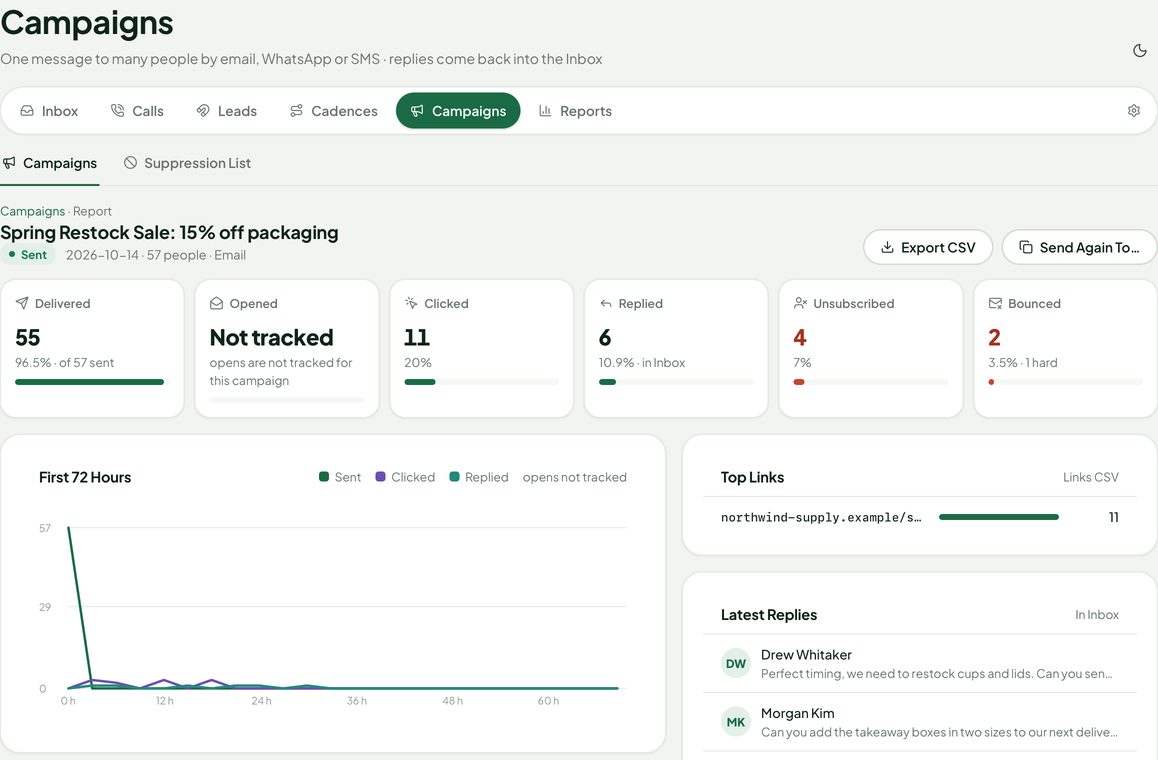
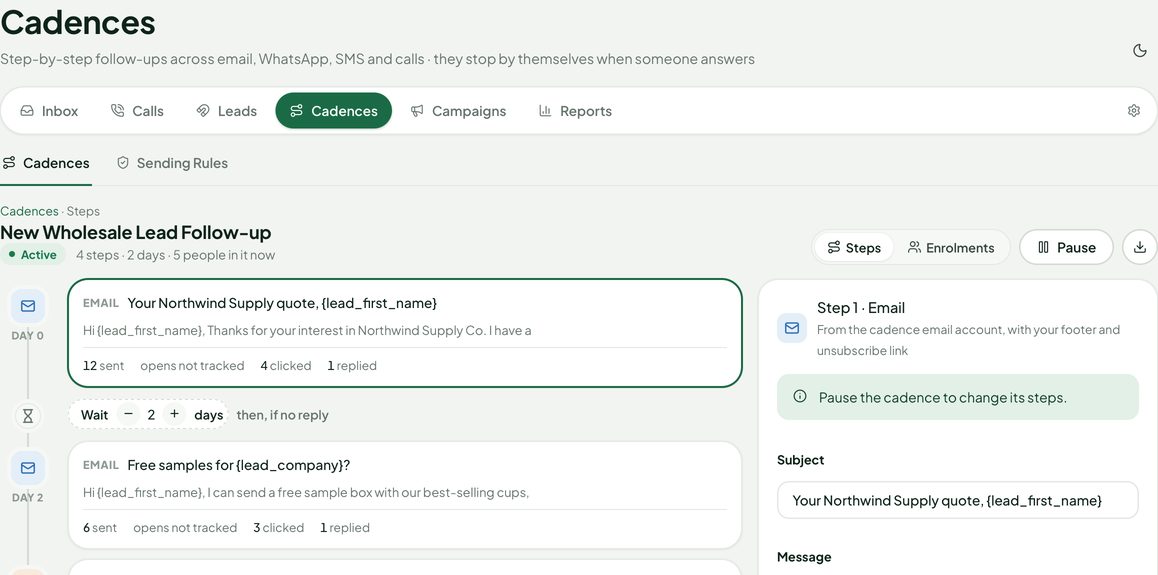
Cadences send a lead the next email, WhatsApp or SMS, or create a call task, a few days apart — and stop by themselves on a reply, unsubscribe, bounce or conversion. Campaigns send one email or WhatsApp template to an opted-in segment of customers, contacts and leads. Replies land in the normal inbox.
CSAT · new in 2.0
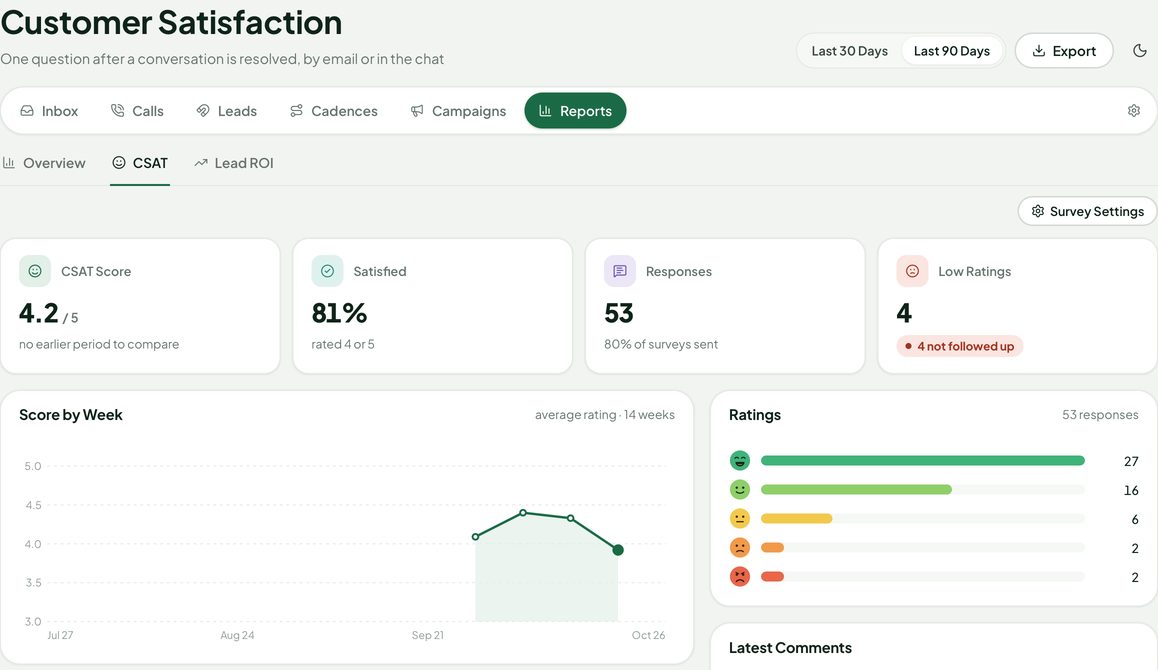
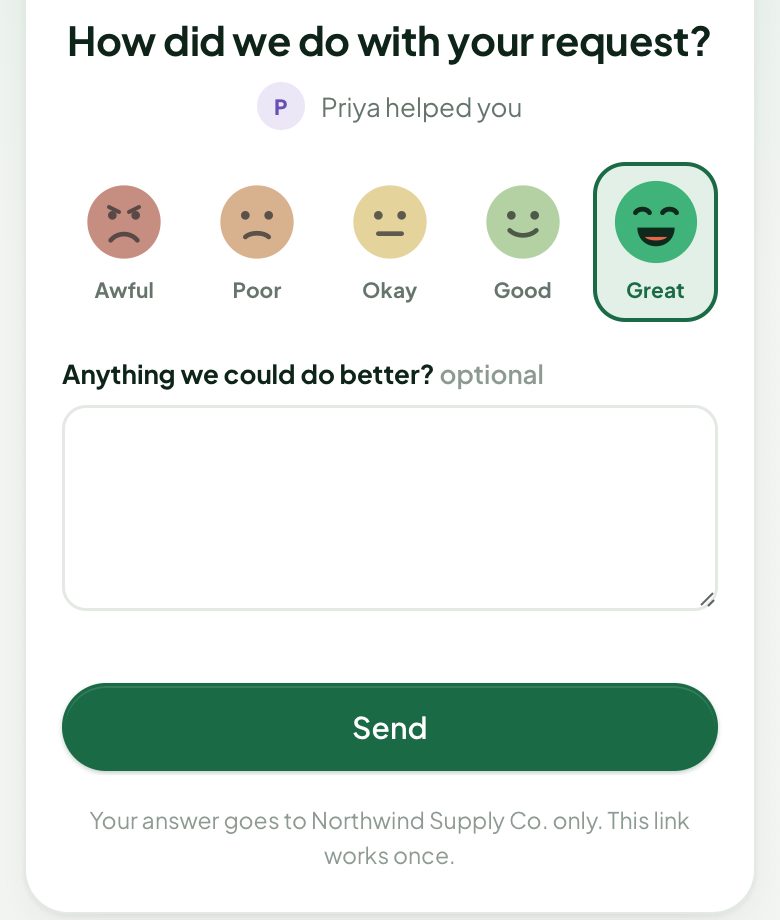
When a conversation is resolved, the customer gets one question — faces, stars or 1–5 — with an optional comment, by email or in the web chat. Scores per agent and per team, and a bell when someone is unhappy.
CRM linking
Senders are linked automatically to Perfex contacts, customers and leads by email address or phone number. The customer card shows who it is, open invoices and the other conversations — and turns the message into Perfex work.
Rules & SLA
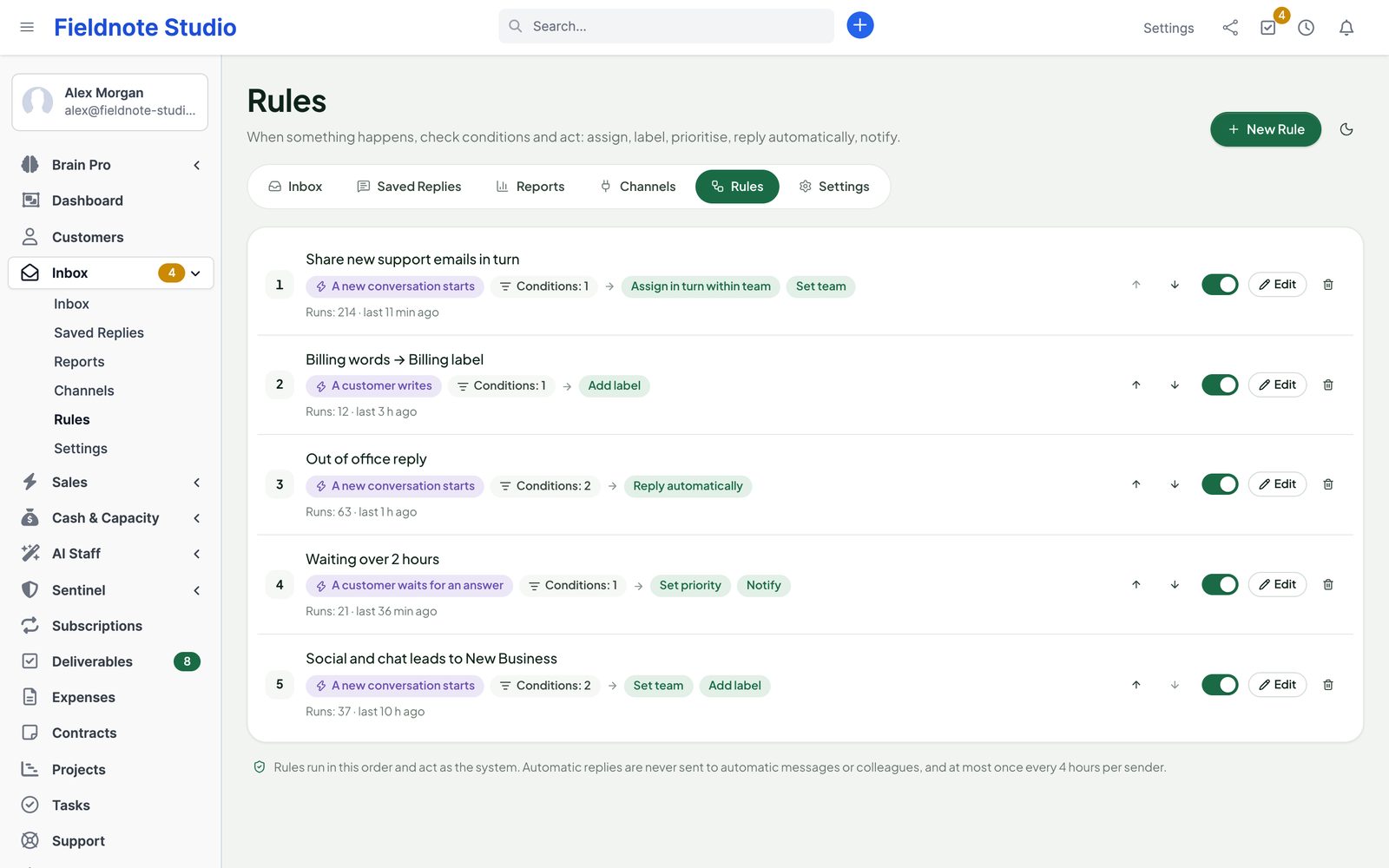
Rules run when a conversation starts, when a customer writes, when a customer waits too long or when a status changes. Check the channel, sender, subject, words in the message, labels, priority, team, business hours or whether the sender is in your CRM — then act.
Saved replies
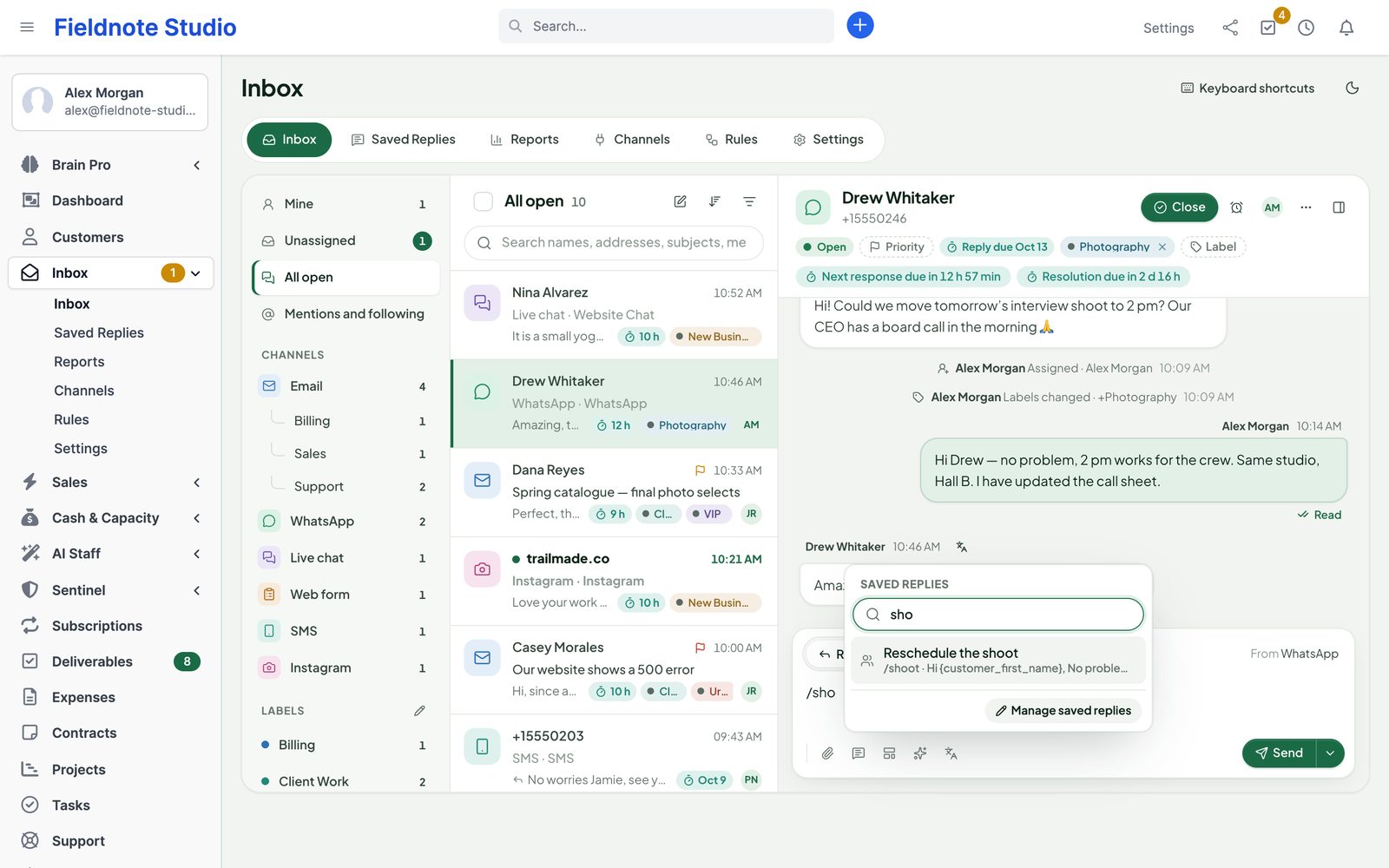
Save the answers you write every day for the whole team or just for you, with a shortcut, a category and a channel. Type / in a reply, pick one, and the customer's name, your name, the company and the subject are filled in.
AI helpers
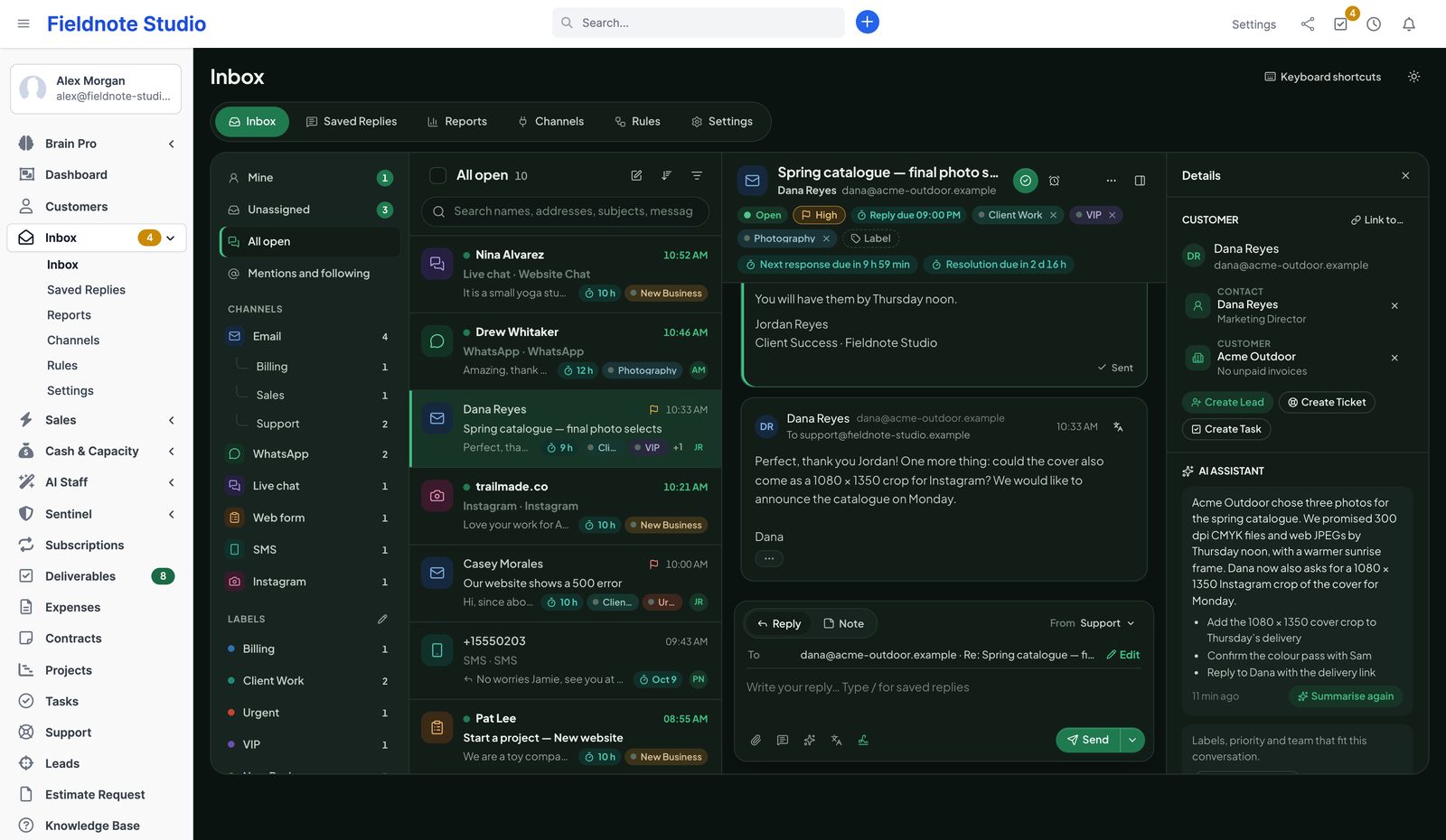
With Perfex AI Staff installed, the inbox can draft a reply in the customer's language, summarise a long thread for a colleague, propose labels, priority and team, and translate messages both ways. AI only proposes — nothing is sent or changed until a person does it.
Reports & notifications
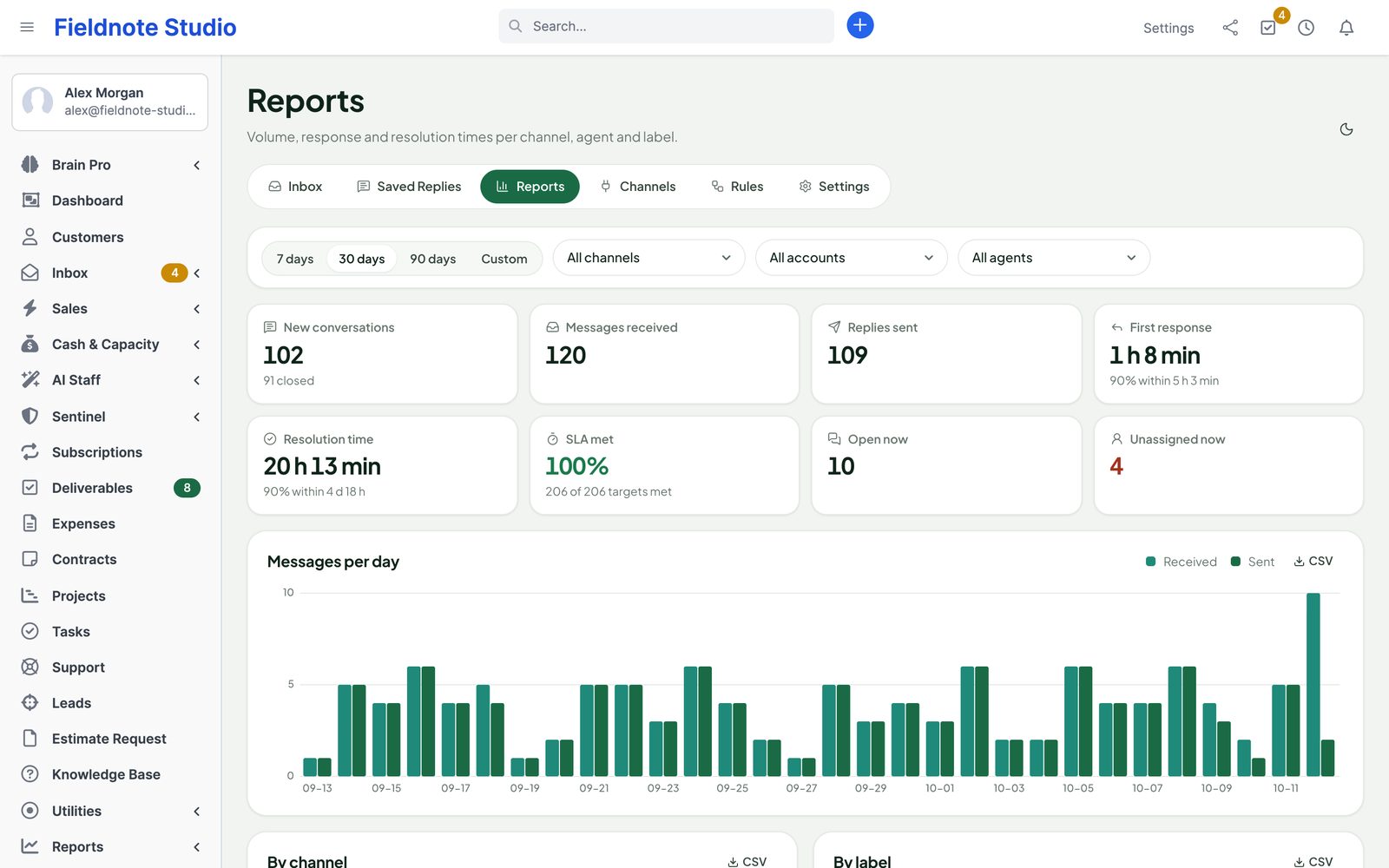
New conversations, messages received and replies sent, first response and resolution time (median and 90th percentile), SLA targets met, open and unassigned right now — per day, channel, mailbox, label and agent, with the busiest hours of the week.
Integrations
Contacts, customers, leads, tickets, tasks and projects; Perfex permissions, bells, SMS gateways and cron. A Conversations tab on customers, leads and tickets.
Reply drafts, summaries, routing proposals, translation, Call AI summaries, an AI lead score and cadence drafts — proposals only, with AI Staff's provider, redaction, budgets and usage log.
Twelve widgets: open and unassigned conversations, new conversations, first response time, SLA targets missed, by channel, waiting longest — plus calls per agent, answer rate, lead response time, CSAT and campaign results.
Save to Client Files on any attachment: a copy goes into the customer's hidden “From the inbox” folder; you decide what the customer sees.
Channel, access, settings and deletion events in Sentinel's audit log — never message contents.
Link a conversation to a project deliverable with Link to…, so feedback by email or WhatsApp stays with the work.
Triggers when a call ends, a lead score crosses a line, a response target is missed, a cadence or campaign finishes or a CSAT answer arrives; steps to enrol in a cadence, route a lead or start a campaign.
Read-only API resources and webhooks for calls, cadences, enrolments, campaigns and CSAT.
Lead ROI: from lead source to won revenue, read-only, when Sales Growth is installed.
Security & privacy
Passwords and tokens are encrypted with your installation's key and never shown again. Attachments live outside the web folder and reach a browser only after a permission check. Public pages — the chat widget and forms — show nothing private and are rate limited.
nosniff, content security policy, attachment for anything that could run); scripts and programs refused as uploadsDISABLE file or PINB_SAFE_MODE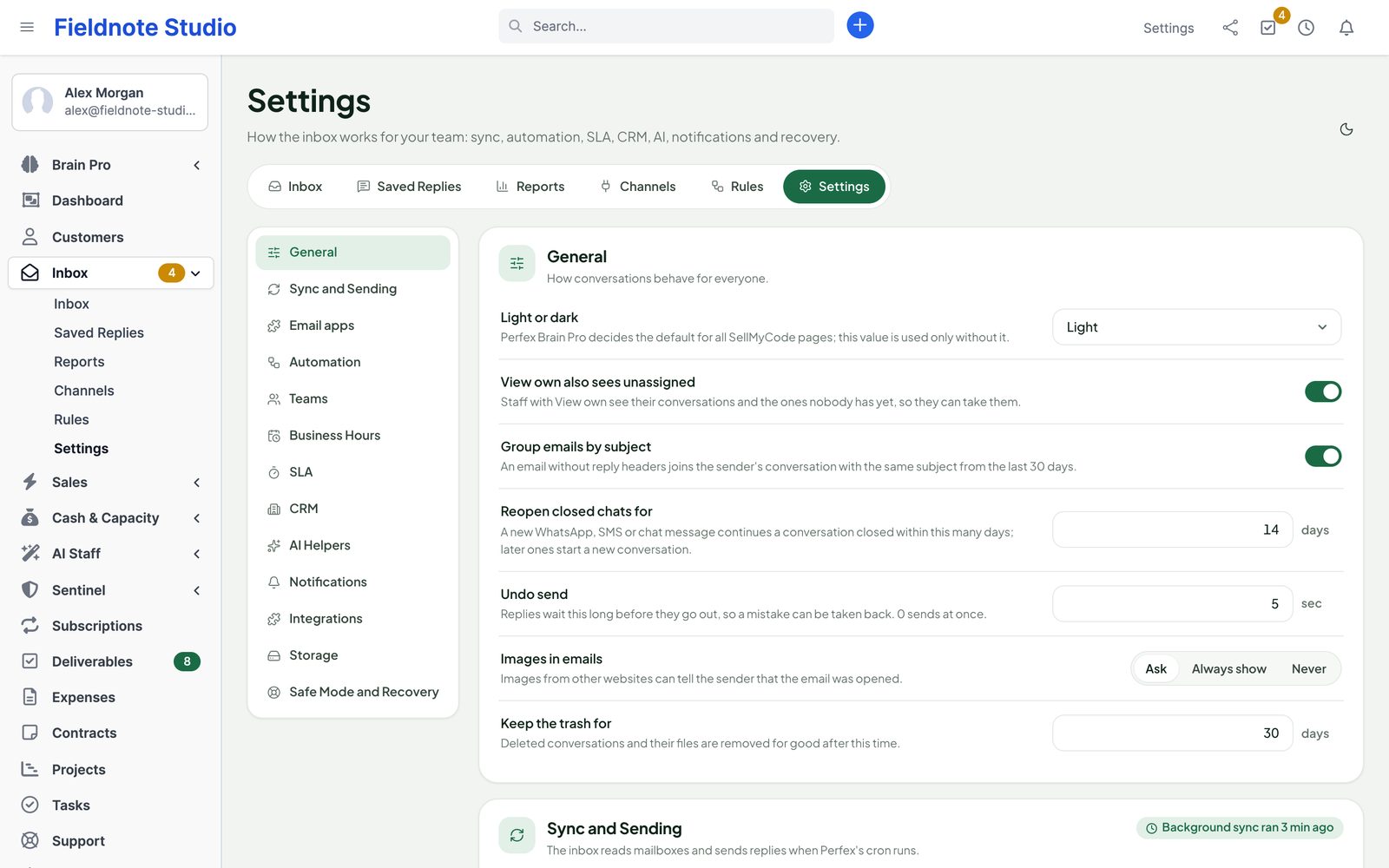
Setup › Modules › upload the zip and activate Perfex Inbox All-in-One (from 1.x: replace the files and run Upgrade Database). Make sure Perfex's cron runs every minute.
Add your support mailbox over IMAP, or create your Google or Microsoft app with the guide and sign in. Add WhatsApp, the chat widget or a form.
Give roles the inbox rights, add teams and business hours, and turn on the areas you need — Voice, Leads, Cadences, Campaigns — in Settings › Features.
Roadmap
What we are building and planning. Plans can change, and we never promise dates: an item ships when it is ready and tested.
Telegram conversations in the same team inbox.
Assign, snooze and close conversations from a chat with the bot.
Answers from your knowledge, with a hand-off to a person.
Read-only import with a dry run and undo by batch.
Update the module from the Perfex admin, with a backup first and a way back.
Pricing
Perfex Inbox All-in-One
$129one-time
One installation, every staff member, mailbox and channel. Licence and support terms are shown on the SellMyCode listing. No per-agent or per-message fees. Sold by SellMyCode. Bought 1.x? Version 2.0 is a free upgrade.
Buy on SellMyCode Read the documentationInterface in nine languages. Calls, numbers, transcription, WhatsApp, SMS and Meta messages are billed by those providers; optional AI help is billed by your AI provider through Perfex AI Staff. The inbox works completely without AI.
Only for Gmail or Microsoft 365 sign-in. The settings page walks you through it (about 10 minutes, once) and shows the redirect URI to paste. Each buyer uses their own app, so your mail never passes through anyone else. Any mailbox can also be connected over IMAP and SMTP with an app password.
No. The inbox talks IMAP and SMTP itself (PHPMailer, which ships with Perfex, sends) and uses curl for Gmail and Microsoft. Mail is read in the background by Perfex's cron job.
No, it works next to it. If Perfex already imports a mailbox into tickets, the inbox warns you so you can turn one of them off — otherwise every email would arrive twice. You can create a ticket from any conversation.
A WhatsApp Business number on Meta's Cloud API, connected with a permanent token. If you already use a WhatsApp module in Perfex, the inbox can send with that module's number and import its stored conversations.
No. Staff work in the inbox. Customers write by email, WhatsApp, SMS or the chat widget, which shows a visitor only their own chat. Internal notes are never sent.
They work with your own Meta app. Meta must approve the app (App Review) before the public can message you through it; until then it works for people with a role in the app, which is enough to set it up and test.
No. AI helpers need Perfex AI Staff and an AI provider or local model. Without them, everything else works the same.
No. The inbox uses Perfex's module hooks and its own tables. Deactivate it and its menu, tabs, webhooks, chat and forms are gone at once. Your data stays — even after uninstalling, unless an administrator chooses to delete it.
Perfex CRM 3.4 or newer (tested on 3.4.1), PHP 8.0 or newer with curl, openssl, sodium and fileinfo (2.0 is tested on PHP 8.1), MySQL or MariaDB, and Perfex's cron running every minute. HTTPS is needed for Google and Microsoft sign-in, Meta webhooks, calls and one-click unsubscribe.
Your own Twilio or Telnyx account with a phone number (calls are billed by them), Perfex on a public HTTPS address, a browser with a microphone and a small voice worker that runs all the time on your server (systemd or Supervisor; the documentation has ready examples). Shared hosting that cannot run background processes cannot run Voice — the rest of the inbox works there. Generic SIP phones are not supported yet.
No. It is a preview dialer: the agent sees the next contact and presses Call, one call at a time. Do-not-call flags, the suppression list and each contact's local calling window are checked before every call.
No. 2.0 is a free upgrade with the same purchase code. Replace the files and run Upgrade Database; everything is kept and the new areas start switched off, except CSAT surveys.
With Call AI on, the transcript comes from your phone provider's transcription (a paid add-on at Twilio and Telnyx); Perfex AI Staff then writes the summary and proposes next steps. Without transcription, calls are still logged and recorded.
Yes. The interface ships in English, Spanish, Portuguese (Brazil), French, German, Italian, Dutch, Turkish and Russian.
Contact us through sellmycode.net. Six months of support are included with every licence. Please add the module, Perfex and PHP versions and a screenshot — never passwords or tokens.
Email, WhatsApp, chat, forms, SMS and calls — shared by your team, linked to your CRM, measured against your SLA.